
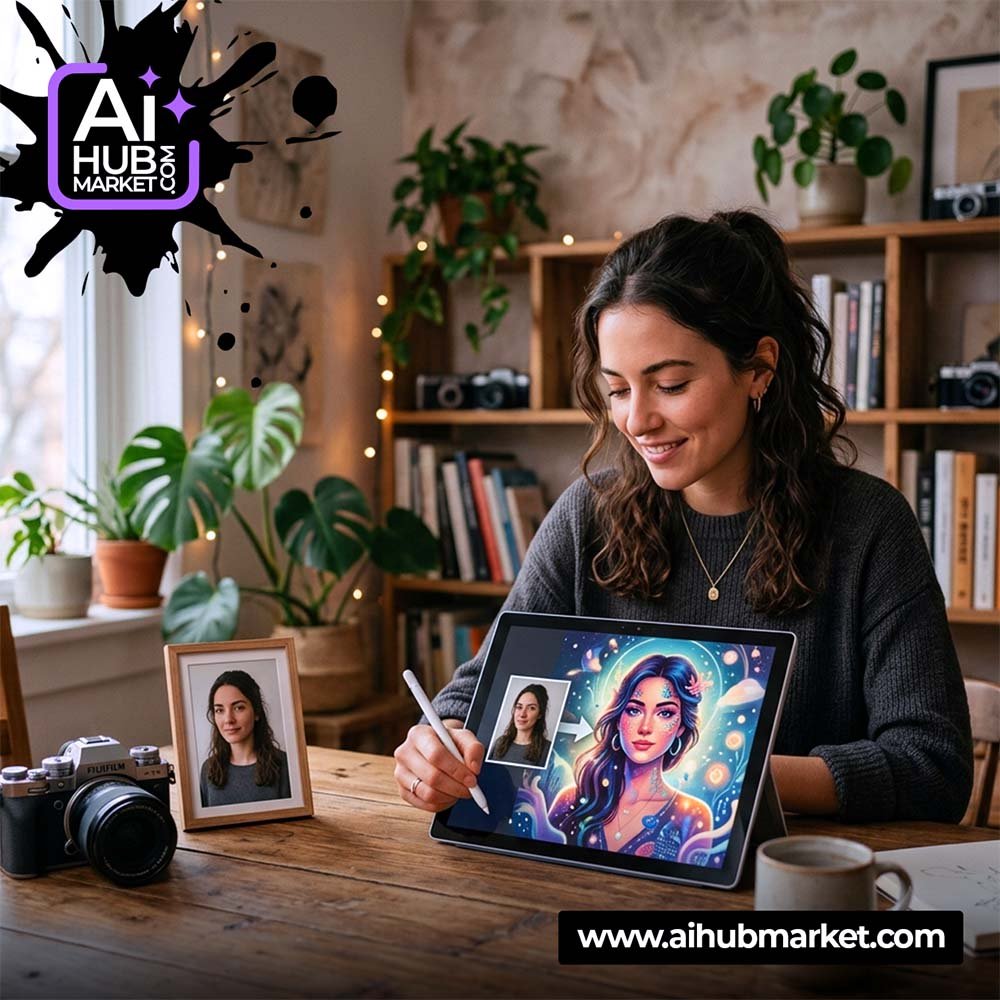
Creating AI images from your photo works best when you treat the original image as a reference, not just as inspiration. Start with a clear source photo, tell the AI what must stay consistent, then describe the new scene, clothing, lighting, camera angle, and style. This guide shows a repeatable workflow for portraits, lifestyle images, character transformations, and marketing visuals.
How AI Images from Photos Work
Image-capable AI tools can use an uploaded photo as a visual reference and generate a new image around it. Depending on the tool, the source can influence the face, pose, composition, clothing, color palette, or overall visual identity. The exact amount of control varies by model, so the safest workflow is to define what must remain unchanged and what the AI is allowed to transform.
For example, you can keep a person’s recognizable facial features while changing the location, outfit, season, lighting, or photographic style. You can also use a product photo as a reference and place the product in a new advertising scene.
Choose the Right Source Photo
The source image has a major effect on the result. A technically perfect studio photo is not mandatory, but the subject should be easy for the model to understand.
- Use a clear face: avoid heavy blur, sunglasses, or extreme shadows if likeness matters.
- Prefer useful resolution: the face or product should occupy enough of the frame to show important details.
- Avoid conflicting subjects: a simple source makes it easier to tell the AI which person or object to preserve.
- Match the intended angle when possible: a frontal reference is easier for a frontal portrait than a profile-only source.
- Use images you have the right to use: especially for commercial work or photos of other people.
A Reliable Prompt Framework for AI Images from a Photo
A strong prompt can follow six blocks:
- Reference instruction: identify the uploaded photo as the main visual reference.
- Preserve: list the features that should stay consistent — face, hairstyle, body proportions, product geometry, colors, or branding.
- Transform: describe what should change — outfit, environment, mood, season, profession, era, or concept.
- Composition: specify close-up, half-body, full-body, eye-level, three-quarter view, or another framing.
- Light and camera: define realistic daylight, soft studio lighting, cinematic contrast, shallow depth of field, or another photographic treatment.
- Constraints: ask the model to avoid extra fingers, distorted facial features, duplicated objects, text, watermarks, or unwanted accessories when relevant.
A simple template is: “Use the uploaded photo as the primary reference. Preserve [identity/details]. Create [new scene]. Show [composition]. Use [lighting/camera style]. Keep [constraints].”
How to Create an AI Image from Your Photo: Step by Step
- Upload one strong reference image. Start with the cleanest version rather than several inconsistent photos.
- Write the preservation rule first. If the face matters, say that facial identity, proportions, and recognizable features should remain consistent.
- Describe one transformation. Change the environment or outfit first instead of changing everything at once.
- Set the framing. A portrait, half-body image, and full-body scene require different visual instructions.
- Add realistic light. Soft window light, overcast daylight, or a single studio key light usually gives more predictable results than vague “cinematic” wording.
- Generate several variations. Compare identity, hands, accessories, background geometry, and unwanted changes.
- Refine only the weak part. If the face is good but the background is wrong, adjust the scene instead of rewriting the entire prompt.
How to Preserve Face Likeness
Face preservation is one of the most common problems in AI photo generation. A model may create an attractive portrait that no longer looks like the source person. To reduce that drift:
- Use a clear, unobstructed facial reference.
- Explicitly ask to preserve facial proportions, eye shape, nose, lips, jawline, and hairstyle.
- Do not overload the first prompt with extreme age, makeup, hairstyle, and expression changes at the same time.
- Keep camera angle and facial expression reasonably close to the reference during the first generation.
- Use the strongest result as a new reference for later variations if the platform supports it.
For more detail, see How to Preserve a Face in AI Images and How to Improve Face Likeness in AI.
Common Mistakes When Generating AI Images from Photos
- Too many changes at once: changing pose, clothes, hairstyle, age, camera angle, background, and lighting can reduce identity consistency.
- Vague instructions: “make it beautiful” gives the model little control.
- No preservation rules: without them, the AI may reinterpret the person or product freely.
- Ignoring geometry: hands, accessories, furniture, packaging, and text often need manual review.
- Publishing the first result: generate alternatives and inspect details before commercial use.
AI Photo Ideas You Can Create
Once the workflow is stable, the same structure can be adapted for many tasks:
- Professional profile and studio portraits.
- Seasonal or holiday photoshoots.
- Fashion and outfit concepts.
- Retro, vintage, fantasy, cinematic, or sci-fi transformations.
- Travel-style portraits in new locations.
- Advertising concepts using a product or model reference.
- Social media campaigns and editorial visuals.
For ready-to-use starting points, explore the AIHubMarket prompt marketplace. If you create AI visuals regularly, AIHub Pro provides access to the broader premium prompt library.
Frequently Asked Questions
How do I make an AI image from my own photo?
Upload a clear photo to an AI tool that supports image references, tell the model which features to preserve, describe the new scene and composition, then generate several variations and refine the best result.
Can AI keep my face exactly the same?
Identity preservation varies by model and workflow. Clear reference images and explicit preservation instructions improve consistency, but every generated image should still be checked manually.
What is the best prompt for generating an AI picture from a photo?
The best prompt is specific to the source image and target result. A reusable structure is: reference → preserve → transform → composition → lighting → constraints.
Can I create professional photos from one image?
Yes, many AI tools can generate multiple portrait concepts from one strong reference image. For professional or commercial use, inspect likeness, anatomy, clothing details, logos, and background accuracy before publishing.